Notion certificate generator
A free certificate template that prints one for every participant.
Duplicate the template, add a row per participant, and print all certificates at once as one PDF.
The template is free, and so is the preview of the first five certificates. Printing the filled-in certificates is part of Pro, from $4.92 a month.
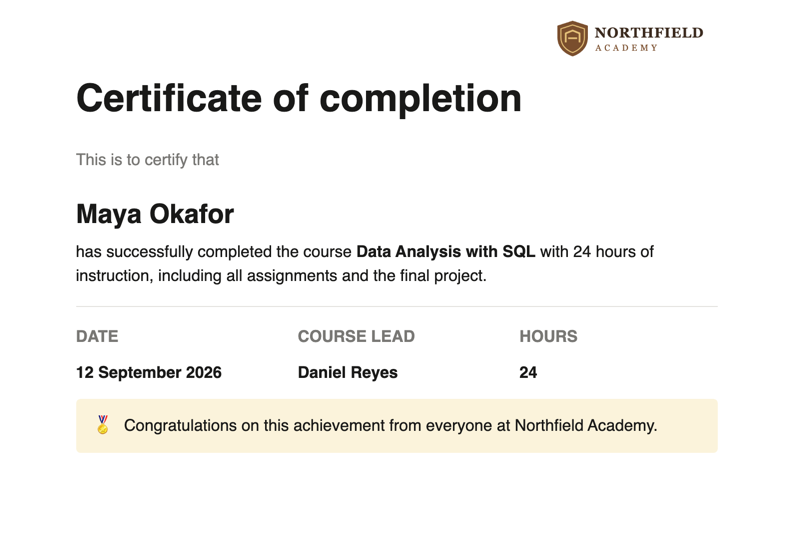
The template
What is in the Notion certificate template
One Notion page with two parts: a Participants database with a row for every person, and below it the certificate, written once, with the column names in braces where the values go.
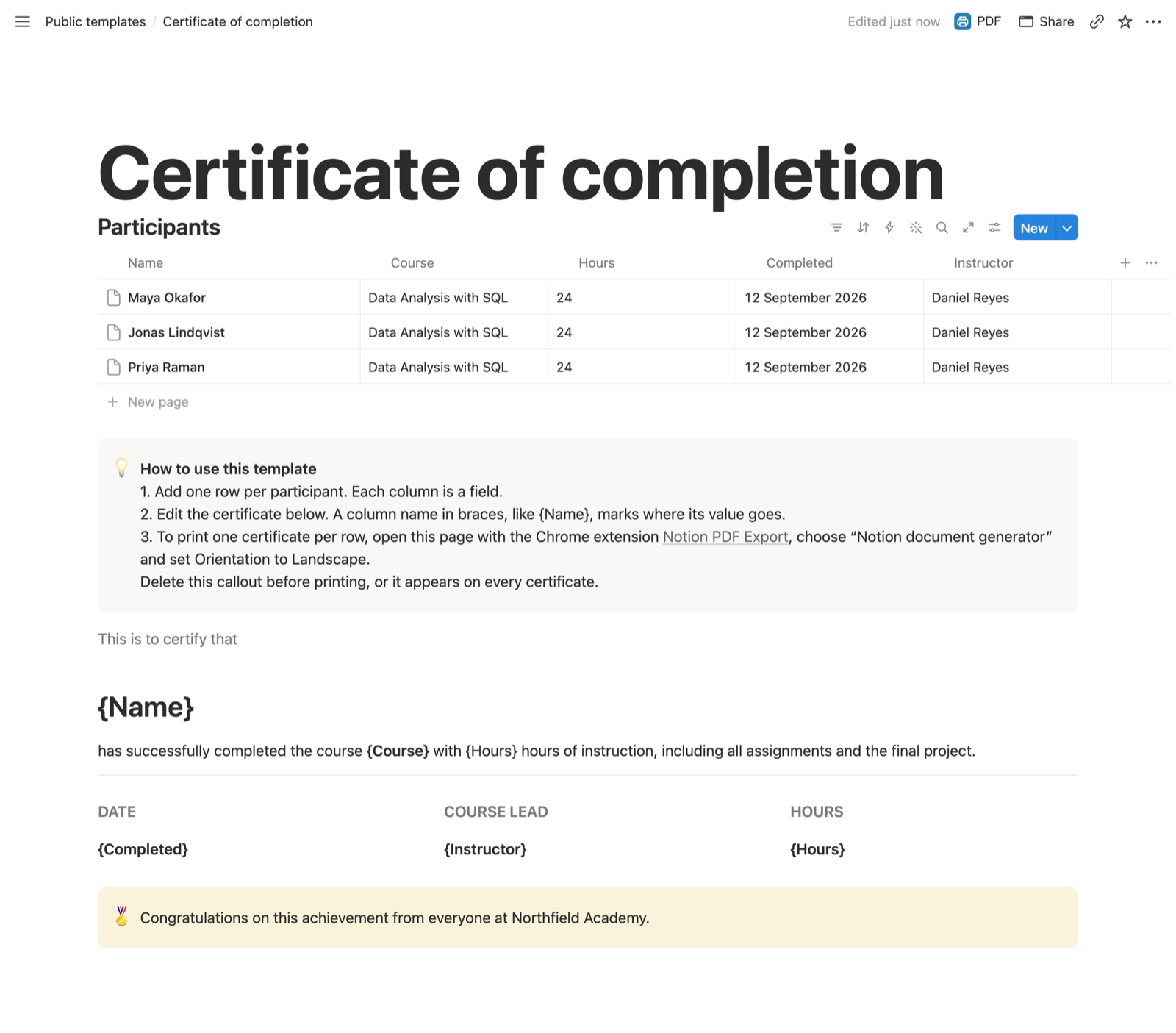
| Column | Placeholder | Example |
|---|---|---|
| Name | {Name} | Maya Okafor |
| Course | {Course} | Data Analysis with SQL |
| Hours | {Hours} | 24 |
| Completed | {Completed} | 12 September 2026, typed as text |
| Instructor | {Instructor} | Daniel Reyes |
Completed is a text column on purpose: date columns do not print their value yet.
Guide
How to generate certificates in Notion
Duplicate it into your workspace
Open the Notion certificate template and click Duplicate at the top right. The copy is yours, on any Notion plan.
Make it your certificate
Replace the three sample rows with your participants, and the course, the hours and the closing line with your own. Delete the "How to use this template" callout, or it prints on every certificate.
A new text or number column, such as Grade or Certificate number, becomes available as {Grade} or {Certificate number}.
Print every certificate at once
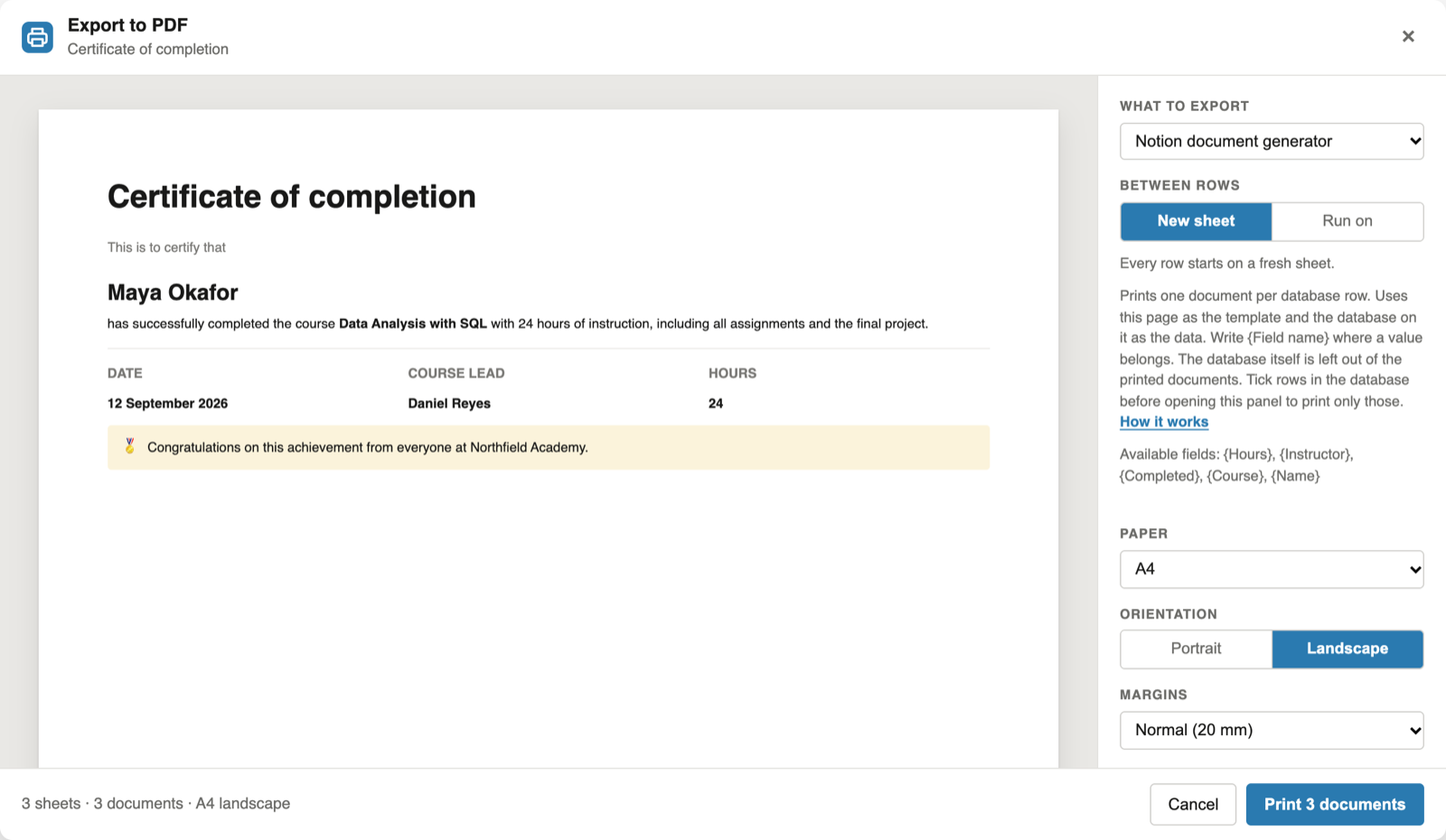
With the extension installed, click PDF next to Share, choose "Notion document generator" and set Orientation to Landscape. The preview shows the first five certificates filled in, states how many the run will print, and names any placeholder that matches no column.
To print only some participants, tick their rows in the database before you click PDF.
Click Print and choose "Save as PDF": one PDF with every certificate on its own sheet. The Notion mail merge guide explains the placeholder rules in detail.
Adapt it
Three ways to change the template
Awards and attendance
Rename the heading to "Certificate of attendance" or "Award of excellence" and change the line below the name. The database stays the same.
Paper and size
A4, Letter or A5, portrait or landscape, set in the export panel rather than the page. Scale, up to 125%, enlarges it on a larger sheet.
Your logo
Header text, footer text and sheet numbers are free. Your logo in the header or footer of every certificate is part of Pro.
FAQ
Notion certificate generator: common questions
Is the Notion certificate template free?
Yes. Duplicating and editing it is free, and so is previewing the first five filled-in certificates. Printing the filled-in certificates with the extension is part of Pro, at $6.99 a month or $59 a year.
Why is the completion date a text column?
Date and formula columns do not print their value yet. Type the date as text, in the format you want on the certificate.
Can I print the certificates on A5 or Letter?
Yes. Paper and orientation are set in the export panel: A4, Letter, Legal, A3, A5 or Tabloid, portrait or landscape. Scale, up to 125%, enlarges the certificate on a bigger sheet.
Do I get a separate PDF for each participant?
Not yet. A run produces one PDF, with each certificate on its own sheet.
Can I print a certificate for just one participant?
Yes. Tick that participant's row in the database, then click PDF. The document generator, part of Pro, prints only the ticked rows. With nothing ticked, every row is printed.
Is my participant data uploaded?
No. The extension reads the page in your open Notion tab and builds the certificates in your browser. It never changes your pages.
Print your first certificates from Notion
Duplicate the template, add the extension, and click PDF next to Share.
 Add to Chrome