Notion mail merge and document generator
Turn your Notion database into finished documents.
Generate invoices for all your clients at once, ready to print or save as PDF. The same works for certificates, letters and name badges.
Setting up and previewing is free. Printing the filled-in copies is part of Pro, from $4.92 a month.
6 free templates available in the Notion Marketplace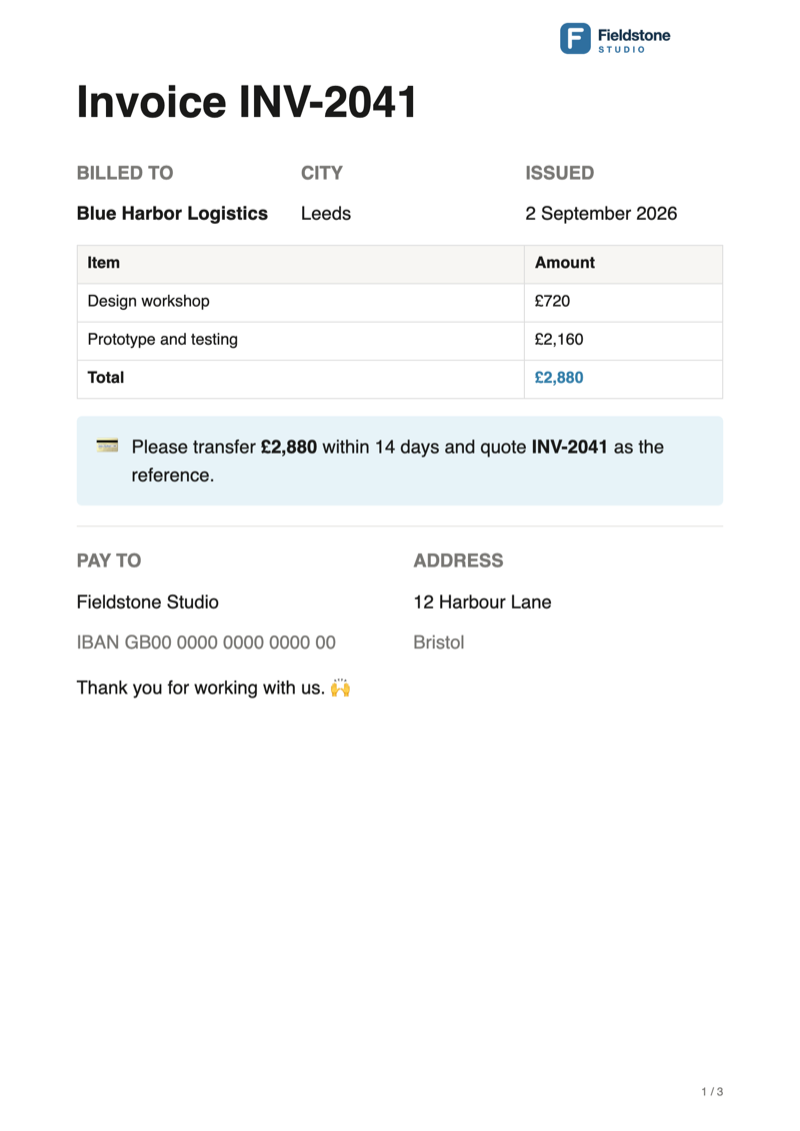
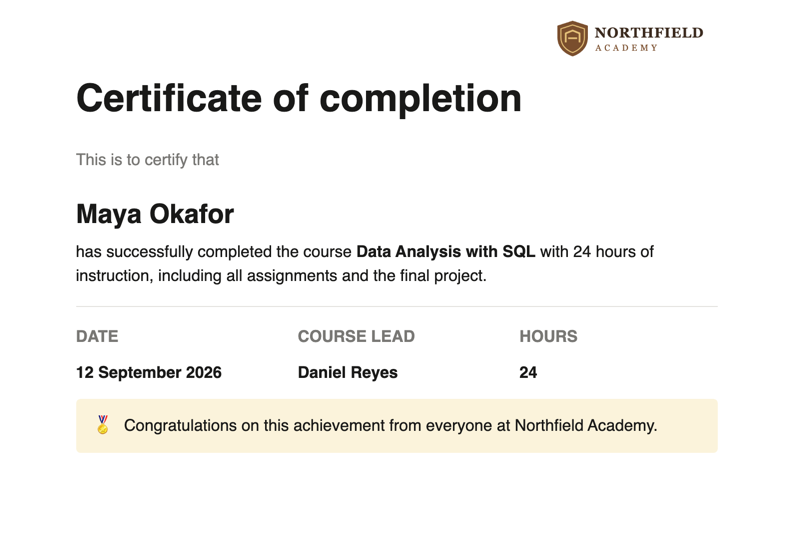

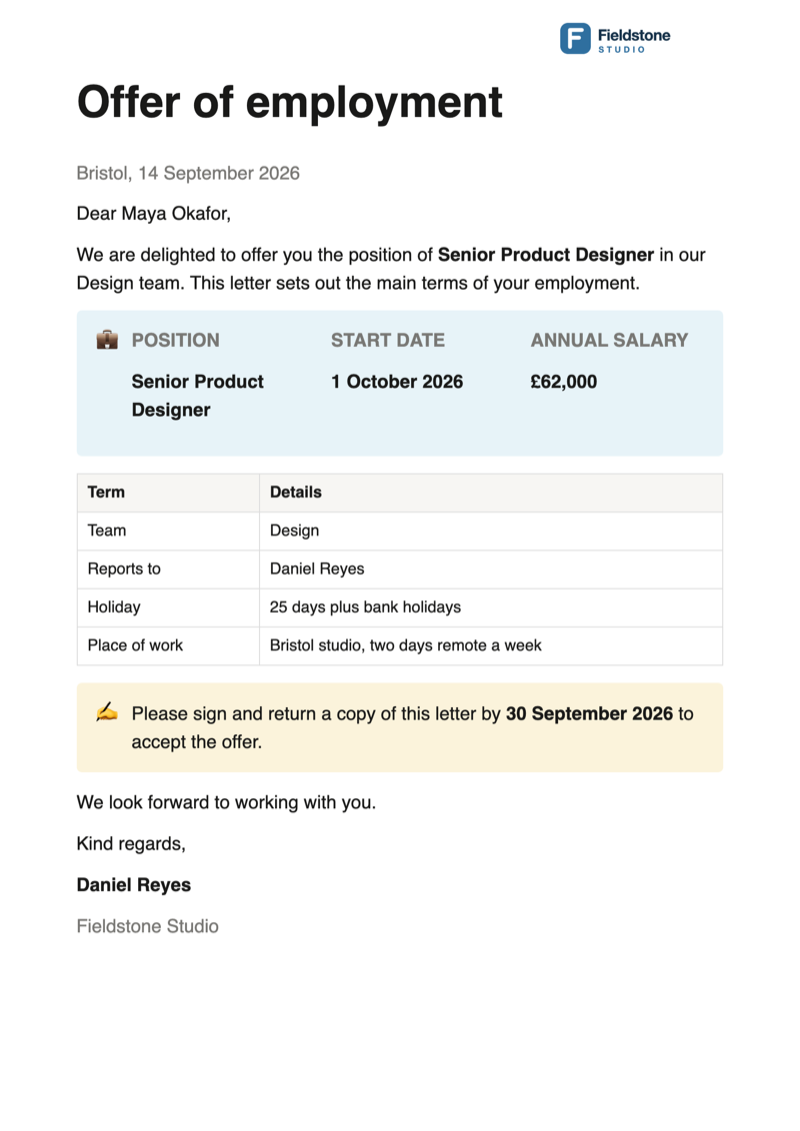
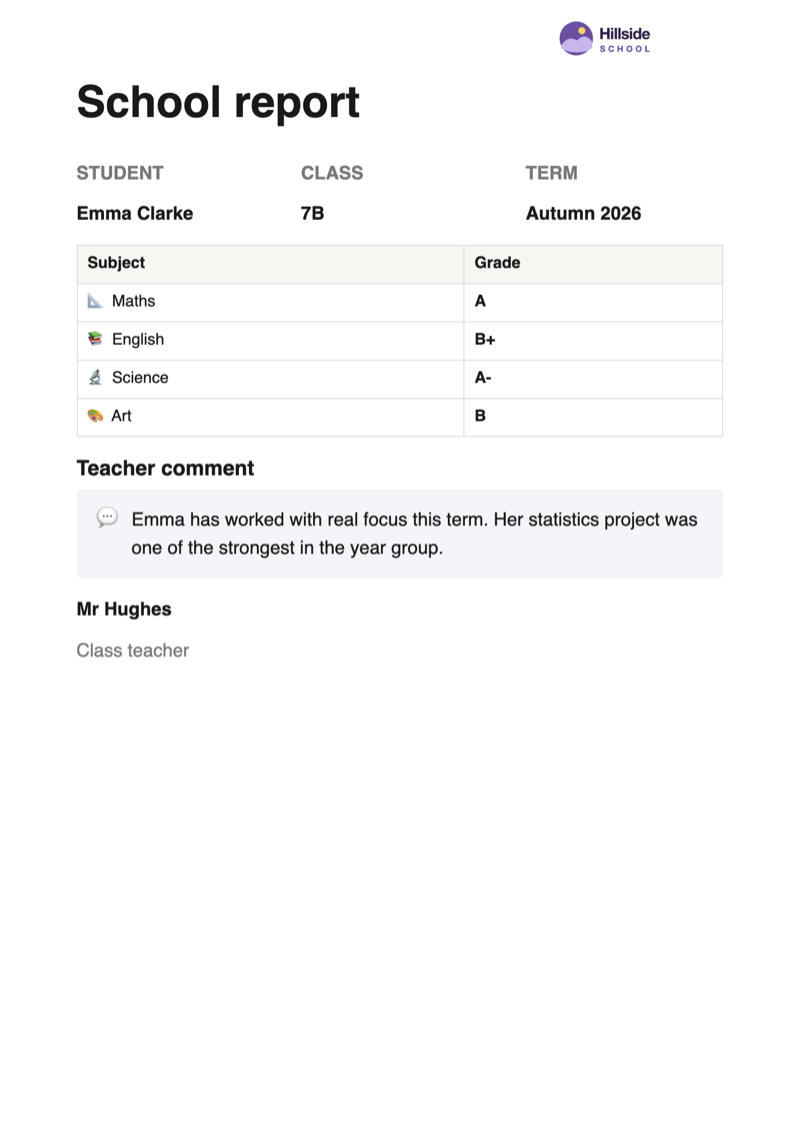
Notion mail merge in short
Notion PDF Export turns a Notion database into finished documents, such as invoices, certificates, letters, name badges and school reports. You write the document once in Notion, and the extension fills it in for every row of the database and prints all of them as one PDF, each on its own sheet. Notion itself has no mail merge. Setting up and previewing is free; printing the documents is part of Pro.
Notion document generator
What you can generate from a Notion database
The document generator works for anything you would otherwise copy and paste name by name: a table with the details, and a page that shows where they go.
Invoices and quotes
{Number}, {Client}, {Total}. A client list or a billing database becomes a stack of invoices with your header and logo. Start from the free Notion invoice template or its quote template.
Certificates
{Name}, {Course}, {Completed}. One certificate per participant, landscape if you like. Start from the free Notion certificate generator.
Letters and contracts
{Candidate}, {Role}, {Start}. Offer letters, contracts or notices from the database you already track them in.
Name badges and labels
{Name}, {Company}. Short documents can run on, so several rows share one sheet. Start from the free Notion name badge template.
Receipts and delivery notes
{Order}, {Customer}, {Parcels}. Print a batch of orders in one go instead of one page at a time. Start from the free Notion delivery note template.
Reports per client or student
{Student}, {Maths}, {Comment}. The same layout filled in for everyone on the list. Start from the free Notion report card template.
Guide
How to do a mail merge in Notion
Three steps from a database to one invoice per row. In Notion, {Client} is plain text; the extension swaps in each row's value when it prints.
Put the data and the template on one page
Add a database to the page. Each column is a field, each row becomes one document. A simple table works too: turn it into a database from its block menu.
Below it, write the document once. Where a value belongs, type the column name in braces, such as {Client} or {Total}. Placeholders work in headings, tables and callouts, and the case of the name does not matter.
Use text, number or select columns. Dates, people and relations do not print their value yet, so write a date as text.
Or duplicate the free Notion invoice template, which has the database and the placeholders set up.
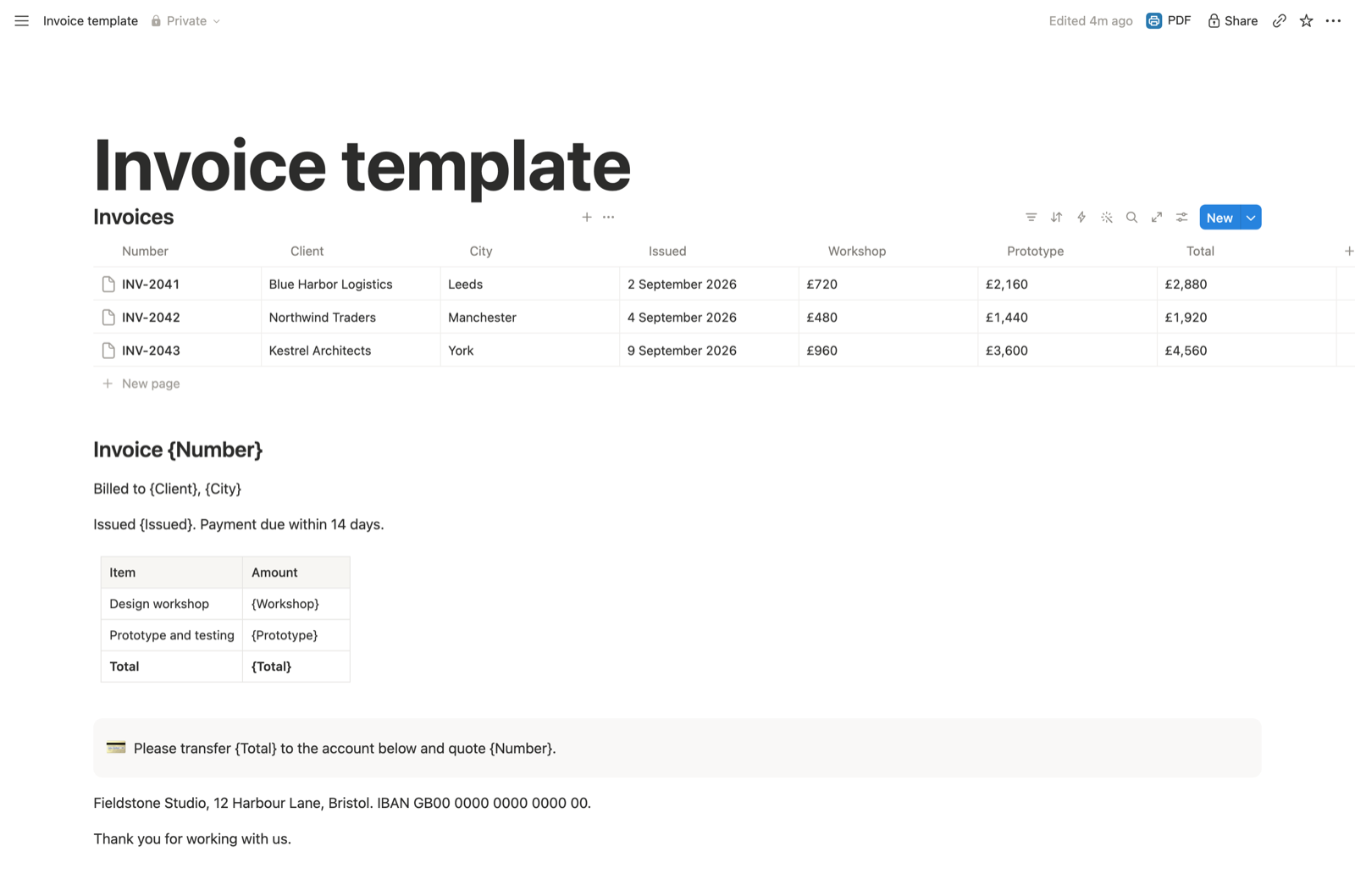
Click PDF and choose the Notion document generator
Under "What to export", pick "Notion document generator". The panel lists the fields it found and names any placeholder that matches none.
The preview shows the first five documents with their values filled in and states how many the run will print. The database itself is left out.
To print only some rows, tick them in the database before you click PDF.

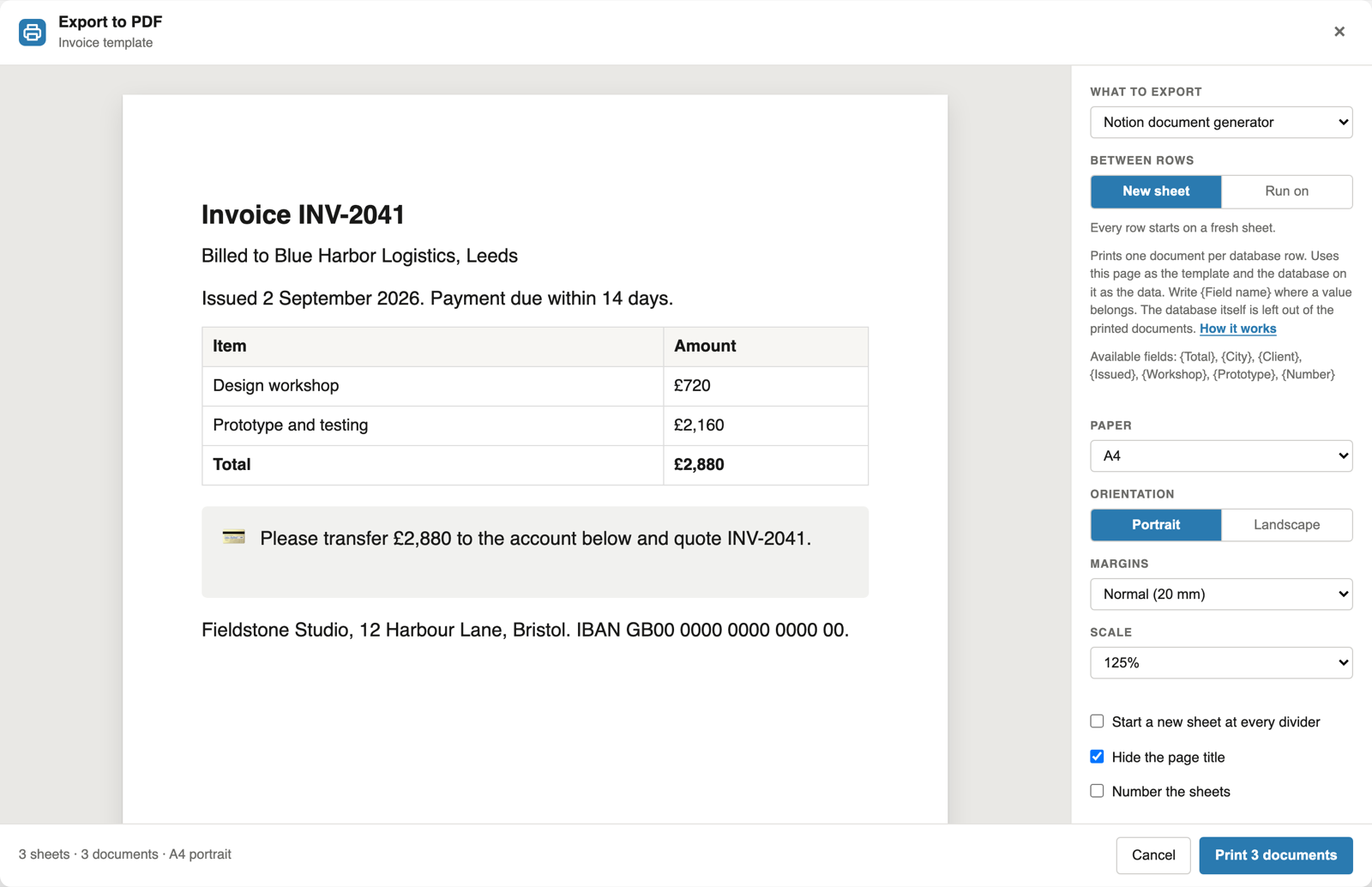
Print all documents at once
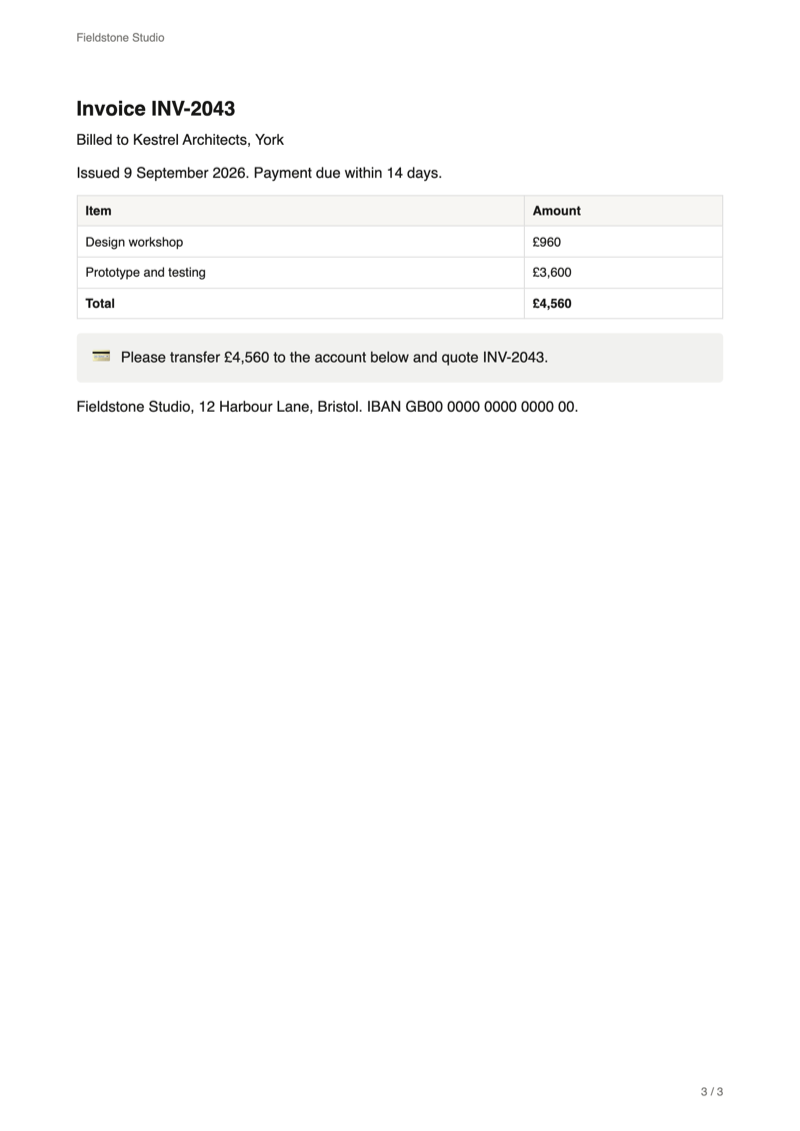
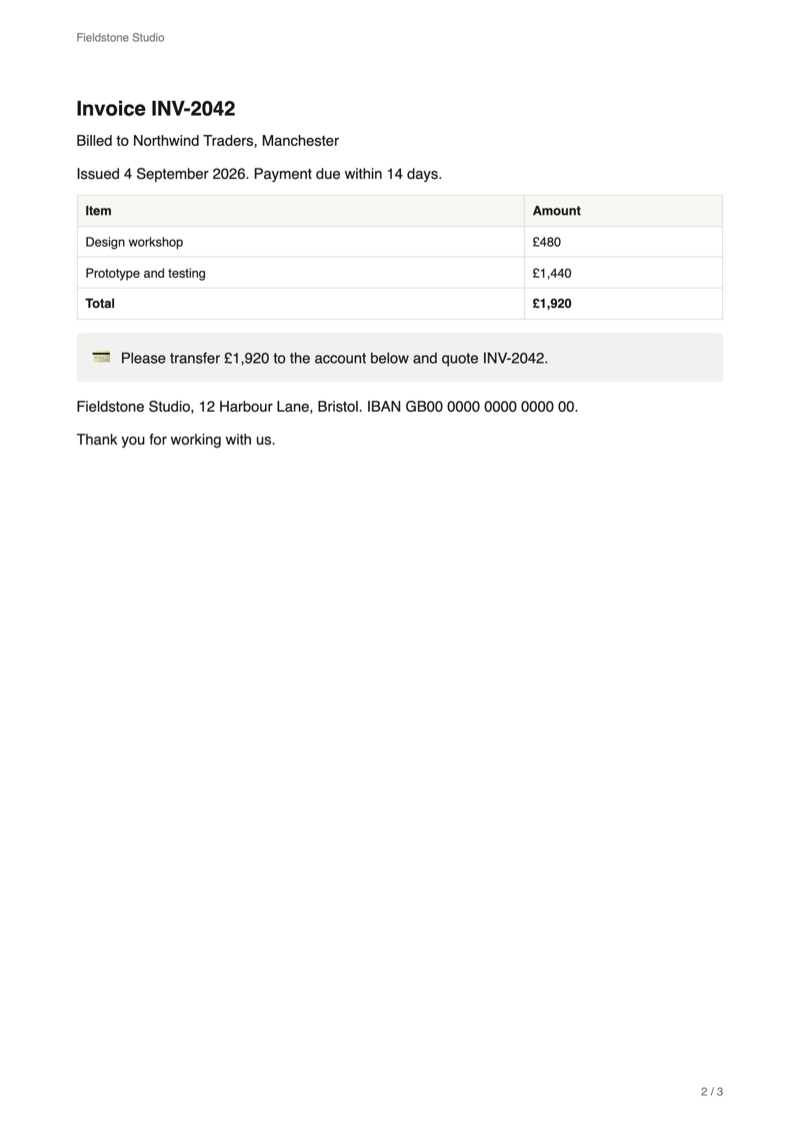
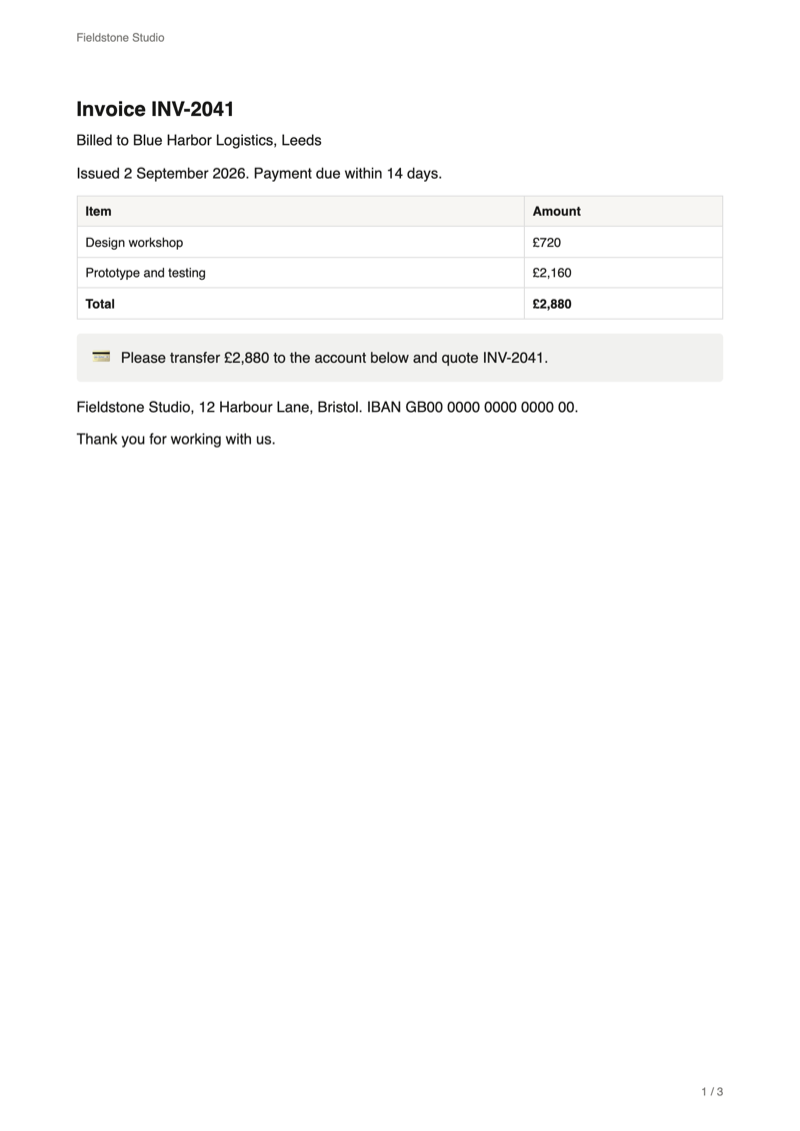
One print dialog opens for all rows. Each document starts on a new sheet, or runs on for labels and badges. Choose "Save as PDF" to get one PDF with all documents.
Reference
How mail merge placeholders work
| Rule | Details |
|---|---|
| Syntax | The column name in braces: {Client}, {Invoice date}. Upper and lower case and spaces around the name do not matter. |
| Column names | Letters without accents, digits, spaces, dots, dashes and underscores. Rename a column with other characters, such as an umlaut, to use it. |
| Column types | Text, number and select columns print their value. Other types, such as dates, people and relations, do not print their value yet. |
| Where they work | Anywhere in the template text, including headings, tables and callouts. |
| No matching column | The placeholder prints as written, and the panel names it before you print. |
| The data | The first database on the page. It is left out of the printed documents. |
| Around the text | Paper size, orientation, margins, scale, header, footer and sheet numbers apply to every document. Your logo goes top right or bottom centre. |
FAQ
Notion mail merge: common questions
Can Notion create invoices from a database on its own?
No. You can design an invoice page in Notion, but Notion cannot fill it with the values of each database row, and its PDF export prints a page exactly as it is. This extension takes the page as a template and prints one filled-in copy per row.
Does Notion have mail merge?
Not for documents. Notion can put database values into emails sent by its automations, but in a page, {Client} stays plain text. The braces are this extension's syntax, and it replaces them with each row's values when it builds the documents.
Is the PDF real text or an image?
Real text. The documents go through your browser's print dialog, so the text in the PDF stays searchable and selectable.
Do I get a separate PDF file for each invoice?
Not yet. A run produces one print job, with each document starting on its own sheet. Save it as one PDF, or send it straight to a printer.
Can I print only some rows of the database?
Yes. Tick the rows in the database's table view, then click PDF. The document generator makes documents only for the ticked rows, and the panel says how many of the rows are selected. With nothing ticked, it prints every row.
How do I print a Notion database?
To print the table as it looks, open the page with the database, click PDF and keep "This page". That is the free Notion to PDF export. To print one document per row, set up a template as described above and choose "Notion document generator".
Is it free?
Setting up the template and previewing the first five filled-in documents is free. Printing documents from a database is part of Pro, at $6.99 a month or $59 a year. Exporting single pages stays free.
Can I add my logo and a header?
Yes. Header text, footer text and sheet numbers are free. A logo in the header or footer of every sheet is part of Pro.
Are my Notion pages or client data uploaded?
No. The extension reads the page in your open Notion tab and builds the documents in your browser. It never changes your pages.
Print your first batch from Notion
Add the extension, open the page with your database and template, and click PDF next to Share.
Add to Chrome