Notion to PDF, without the fixing
Print and export Notion pages as clean PDFs
Real, searchable text. Page breaks that land between lines, not through them. Tables that fit the sheet. And no watermark on the free plan.
6 free templates available in the Notion MarketplaceSearch, select and copy from the PDF. A long page weighs kilobytes, not megabytes.
Unlimited exports without a watermark. Pro is for subpages, bulk runs and your logo.
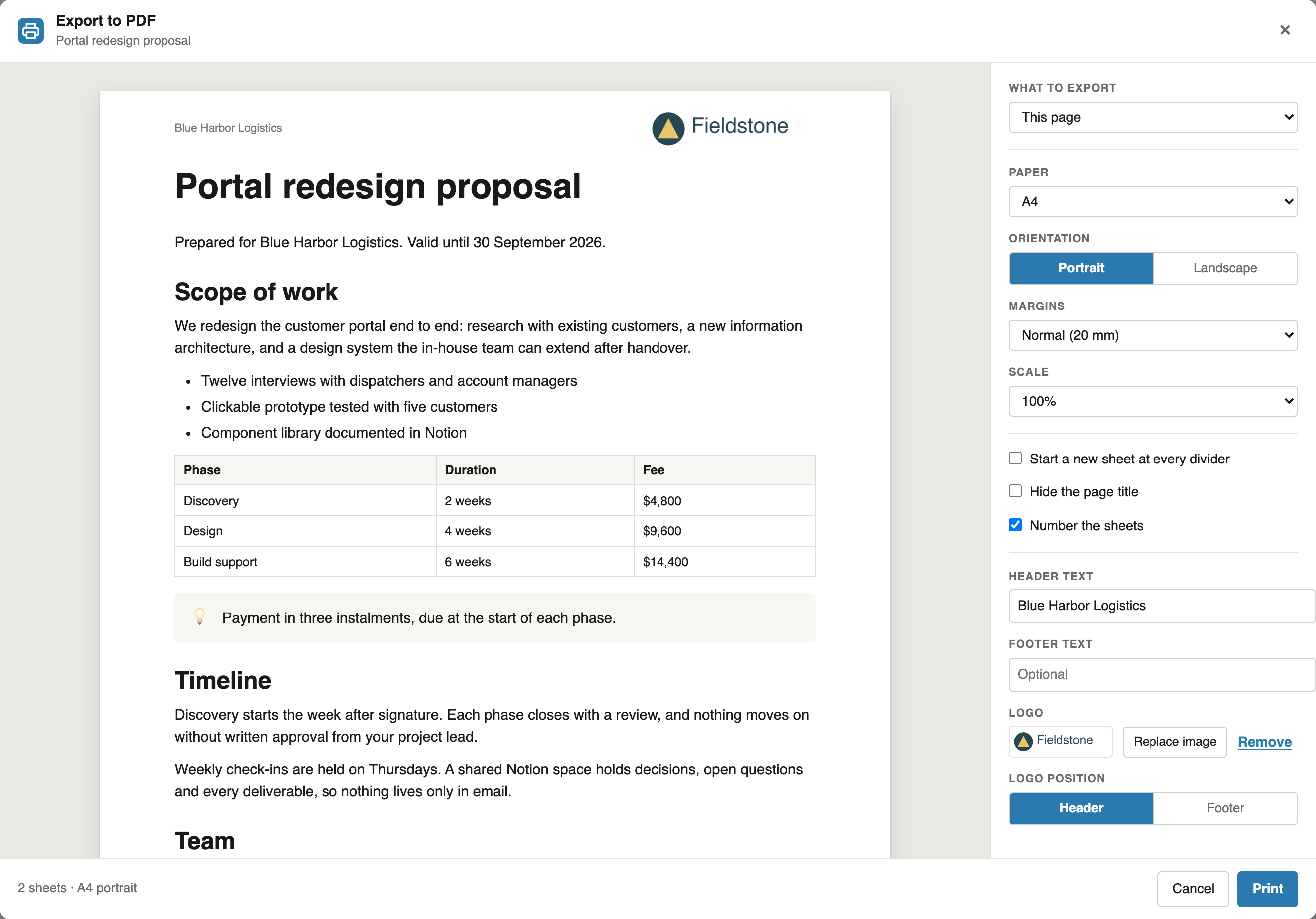
The preview shows each sheet with its margins, header and page number.
Notion PDF Export in short
Notion PDF Export is a Chrome extension that prints and exports Notion pages to PDF through the browser's print dialog. The PDF has real, searchable text. Page breaks fall between lines and table rows, and a heading stays with its text. You choose the paper, margins and scale, add a header, a footer and page numbers, and see every sheet before you print. Single-page exports are free, unlimited and without a watermark. Pro exports a page with its subpages on any Notion plan, generates documents such as invoices from a Notion database, and adds a logo.
The problem
Why a Notion PDF usually needs fixing
Three things go wrong again and again, depending on where the PDF comes from: Notion's own export, the browser's Print command or a tool that photographs the page.
The PDF is a picture
Screenshot-based exports cannot be searched or copied from, and blow a few pages up to megabytes. This reads the page's structure and writes real text.
Breaks land in the wrong place
A heading alone at the foot of a sheet, a table row cut in half. Breaks here fall between lines and rows, and a heading moves with its text. How Notion PDF page breaks work
Subpages cost a Business plan
Notion only exports a page together with its subpages on Business and Enterprise. Here it is one setting, on any Notion plan. Notion's built-in PDF export compared
How it works
Notion to PDF in three steps
Everything happens in the browser tab you already have open. Nothing is uploaded, and your Notion pages are only read, never changed.

Add the extension
A PDF button appears in the Notion top bar, right next to Share.
Check the sheets
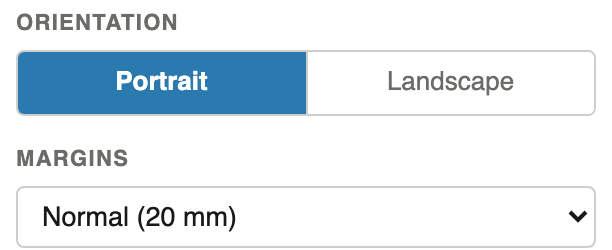
Pick paper, margins, orientation and scale. The preview redraws every sheet as you change them.

Print or save
Click Print, and your browser's print dialog opens with the finished document. Save it as PDF or send it to a printer.
The preview
See every sheet before you print
No more discovering a bad break in the finished file. The panel shows each sheet as it will come out of the printer.
- A wide table fits with landscape or a smaller scale
- A4, Letter and four more paper sizes
- Header, footer and page numbers on every sheet: how to add them to a Notion PDF
- A divider can start a new sheet: page breaks in a Notion PDF
- Collapsed toggles, columns and databases included: how to print a Notion database
Your whole handbook or wiki in one PDF
Export a handbook, a wiki or a client space in one run, down to five levels deep. Each subpage starts on a fresh sheet, or runs on if you prefer. How to export Notion subpages to PDF
- Works on every Notion plan, not only Business
- In reading order, as one file to send
One finished document for every row of your database
Invoices, certificates, offer letters, name badges. Write the document once in Notion, and every row of the database gets its own filled-in copy. Read the Notion mail merge guide
- A preview of the documents before you print
- A new sheet per row, or several rows to a sheet for labels
- Your logo in the header or footer of every sheet
Free templates
- Notion invoice template
- Notion quote template
- Notion certificate generator
- Notion name badge template
- Notion report card template
- Notion delivery note template
Compare
What Notion's own export leaves out
Notion's built-in PDF export (••• menu, More, Export, PDF) is fine for a quick copy. This is for the documents that go to someone.
| Capability | Notion PDF Export | Notion's built-in export |
|---|---|---|
| Single page to PDF | Free, unlimited | Yes |
| Paper size, margins, orientation, scale | All four | Paper size and scale |
| Header, footer, page numbers | Yes | No |
| Preview of every sheet with its margins | Yes | No |
| A divider starts a new sheet | Yes | No |
| Page with all subpages | Pro, any Notion plan | Business and Enterprise only |
| Documents generated from a database | Pro | No |
| Your logo on every sheet | Pro | No |
Notion's export options as described in Notion's help centre, October 2026. What subpages cost on each side: Notion's PDF export against this extension, with prices. Comparing extensions instead? See how this Print Notion alternative differs. All facts about this extension in one place: product facts.
Pricing
Free for single pages. Pro when documents repeat.
The free plan is not a trial and adds no mark to your documents. Cancel Pro any time.
Free
- Unlimited single-page exports
- No watermark
- Your paper size, margins and scale
- Header, footer and page numbers
- Preview of every sheet
Pro
- Everything in Free
- Whole handbooks and wikis in one PDF
- Invoices, certificates and more from a database
- Labels and badges, several to a sheet
- Your logo in header or footer
Pro Yearly
- Everything in Free
- Whole handbooks and wikis in one PDF
- Invoices, certificates and more from a database
- Labels and badges, several to a sheet
- Your logo in header or footer
Need this for your team? We offer discounted multi-user plans: 10% off from 5 seats, 20% off from 10.
Prices are in US dollars and include tax where it applies; Polar shows the exact amount for your country at checkout. Polar Software Inc. sells Pro as merchant of record, and the terms state the billing. Every price and limit in one place: product facts.
FAQ
Questions before you install
How do I print a Notion page?
There are three ways. In Notion, open the ••• menu at the top right and choose More, Export, PDF; that export has no header, footer, page numbers or sheet preview. In the browser, choose Print in its menu (Ctrl+P or Cmd+P opens Notion's search instead); it prints the screen layout, so tables are cut and pages break anywhere. With Notion PDF Export, click PDF next to Share, check every sheet in the preview and click Print: pages break between lines and table rows, and single pages are free.
Is my page content uploaded anywhere?
No. The extension reads the page you have open, builds the document in your browser, and hands it to the browser's own print dialog. Our server only checks whether your install has a Pro licence and receives anonymous usage counts, such as how many exports were run.
Can it change or delete my Notion pages?
No. It only reads pages. It never writes to your workspace.
Does it work on the free Notion plan?
Yes, on every plan, including exporting subpages to PDF with Pro.
How do I get a PDF file rather than a printout?
Choose "Save as PDF" as the destination in the print dialog. The text in the file stays searchable and selectable.
Are collapsed toggles included in the PDF?
Yes. Every toggle and toggle heading prints expanded, including toggles nested inside other toggles, whether it is open or closed in Notion.
How does the document generator work?
Put a database on the page you want as the template, and write the field name in braces where a value belongs, for example {Client}. The database itself stays out of the printed documents, and a placeholder that matches no field is flagged before you print. Rows you tick in the database are the only ones printed, so you can run the whole list or a few. See the mail merge guide, or start from the invoice template, the quote template, the certificate template, the name badge template, the report card template or the delivery note template.
Can I print a whole Notion database?
Yes. A database prints as a table with the columns, filter and sort of its first view, and the header row repeats on every sheet. For one document per row, such as an invoice, use the document generator. How to print a Notion database
Which browsers are supported?
Chrome 131 or newer, and other Chromium browsers such as Edge and Brave.
How is it different from Print Notion?
Pro costs less, $6.99 a month against the $9.99 Print Notion listed in September 2026, and the free plan puts no watermark on single pages. Print Notion can save a separate PDF for each database row, which this extension cannot yet. See the full Print Notion alternative comparison.
Can I cancel Pro?
Yes, any time from the link in your receipt. Pro stays active until the end of the period you paid for.
Export your first Notion page in a minute
Add the extension, open any Notion page and click PDF next to Share. Single pages stay free.
Add to Chrome - free