Notion invoice template
Write the invoice once, print it for every client.
Keep your clients in a Notion database and print a finished invoice for each of them in one go, as a single PDF. No more copying names and amounts by hand.
The template is free, and so is the preview of the first five invoices. Printing the filled-in invoices is part of Pro, from $4.92 a month.
Available in the Notion MarketplaceThe Notion invoice template in short
The template is a Notion page with a database of clients. You fill in the database, and Notion PDF Export prints one invoice per row as one PDF, each on its own sheet. Duplicating and editing the template is free, and so is the preview of the first five invoices. Printing them is part of Pro.
The template
What is in the Notion invoice template
Everything on one Notion page: your list of invoices on top, the invoice below, written once with blanks such as {Client} that every row fills in.
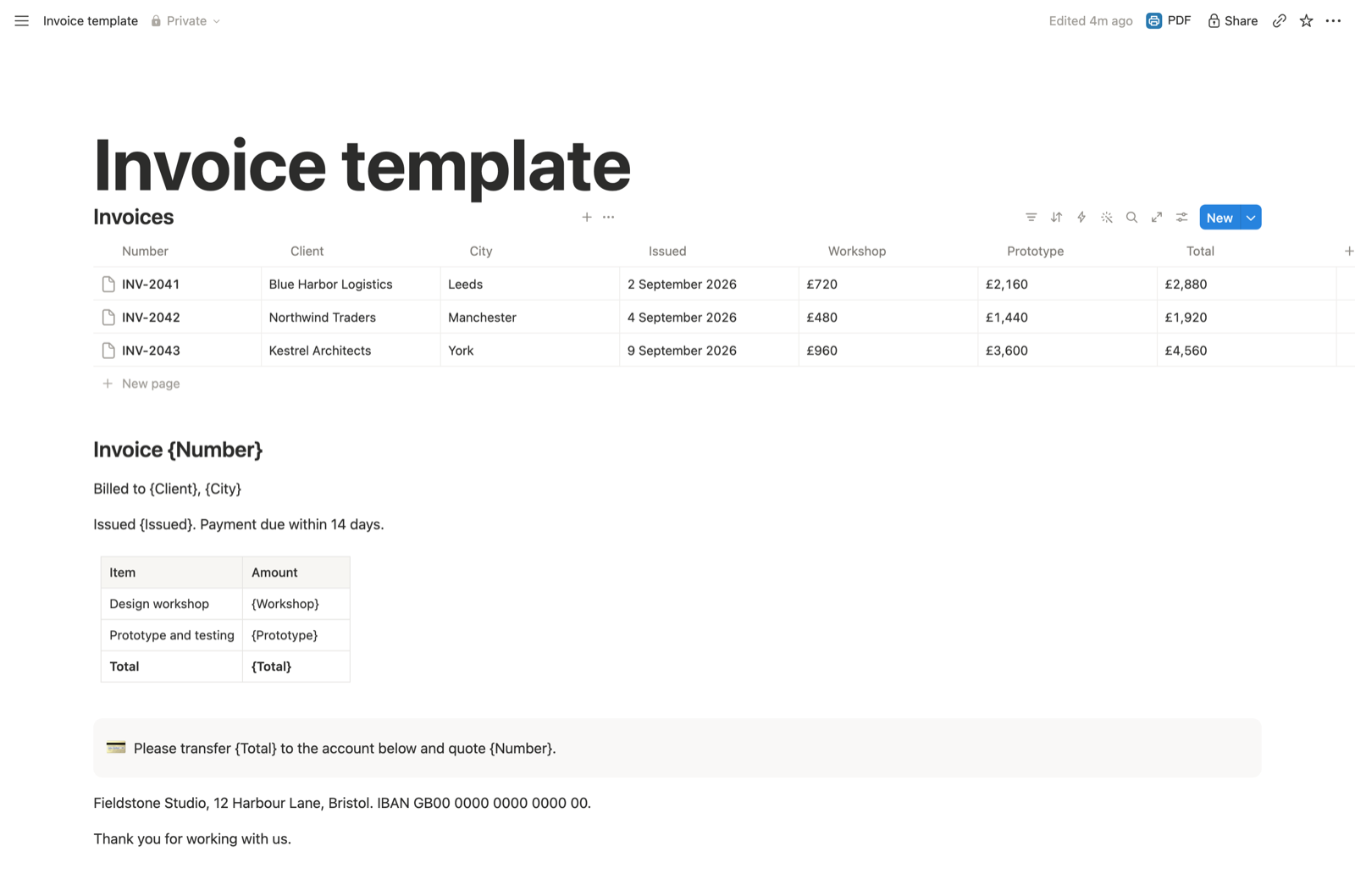
| Column | Placeholder | Example |
|---|---|---|
| Number | {Number} | INV-2041 |
| Client | {Client} | Blue Harbor Logistics |
| City | {City} | Leeds |
| Issued | {Issued} | 2 September 2026, typed as text |
| Workshop | {Workshop} | £720, the first line item |
| Prototype | {Prototype} | £2,160, the second line item |
| Total | {Total} | £2,880, typed in |
Issued and Total are plain columns on purpose: date and formula columns do not print their value yet.
Guide
How to use the invoice template
Duplicate it into your workspace
Open the Notion invoice template and click Duplicate at the top right, or get it from its listing in the Notion Marketplace. The copy is yours, on any Notion plan.
Make it your invoice
Replace the three sample rows with your clients. Change the payment note in the callout and the sender address and bank details below it.
To bill for something else, rename a column and its placeholder together, for example Consulting and {Consulting}. A new text or number column, such as VAT or Due date, becomes available as {VAT} or {Due date}.
Print every invoice at once
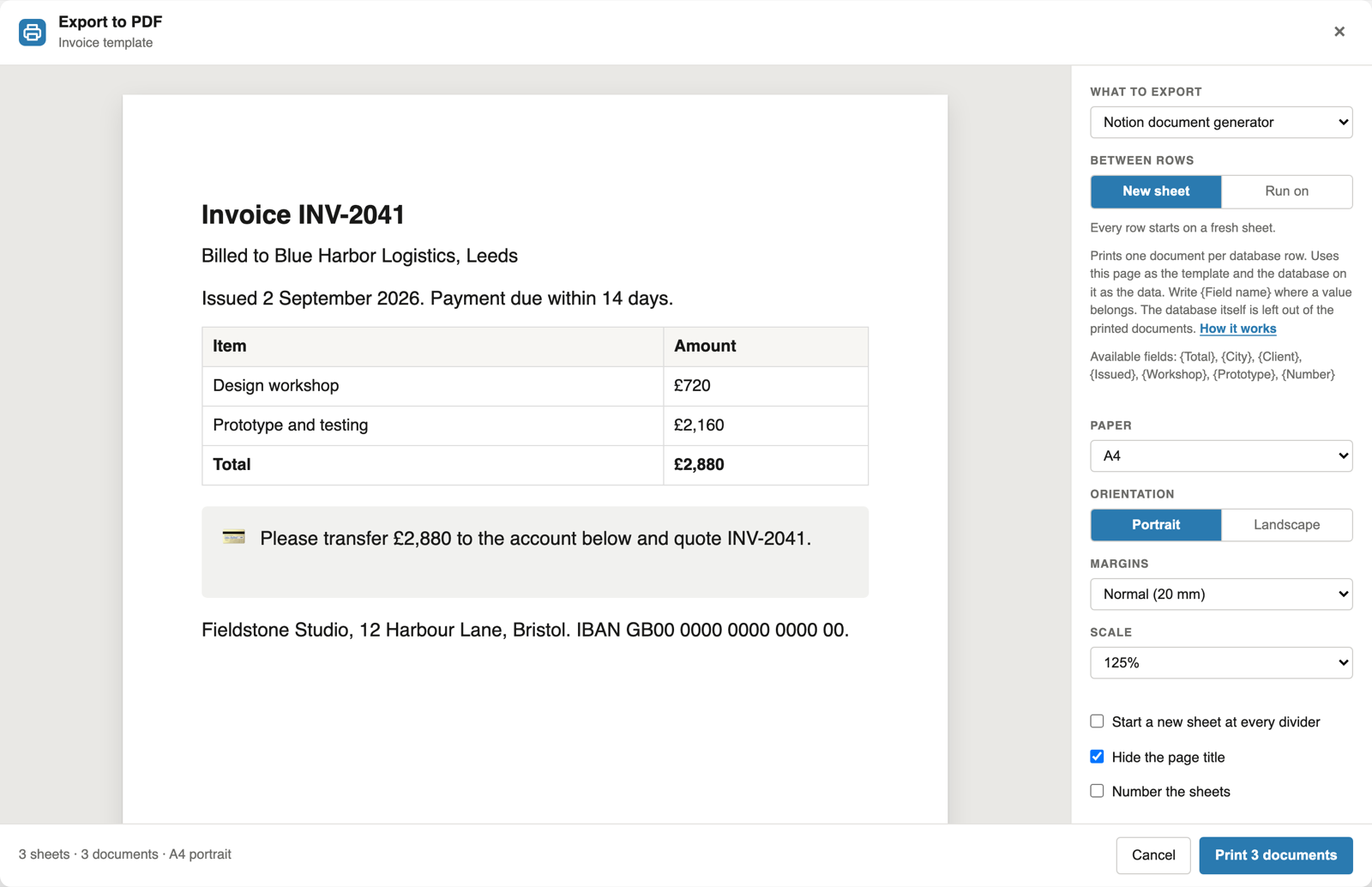
With the extension installed, click PDF next to Share and choose "Notion document generator". The preview shows the first five invoices filled in, states how many the run will print, and names any placeholder that matches no column.
To bill only some clients, tick their rows in the database before you click PDF.
Click Print and choose "Save as PDF": one PDF with every invoice on its own sheet. The Notion mail merge guide explains the placeholder rules in detail.
Quotes
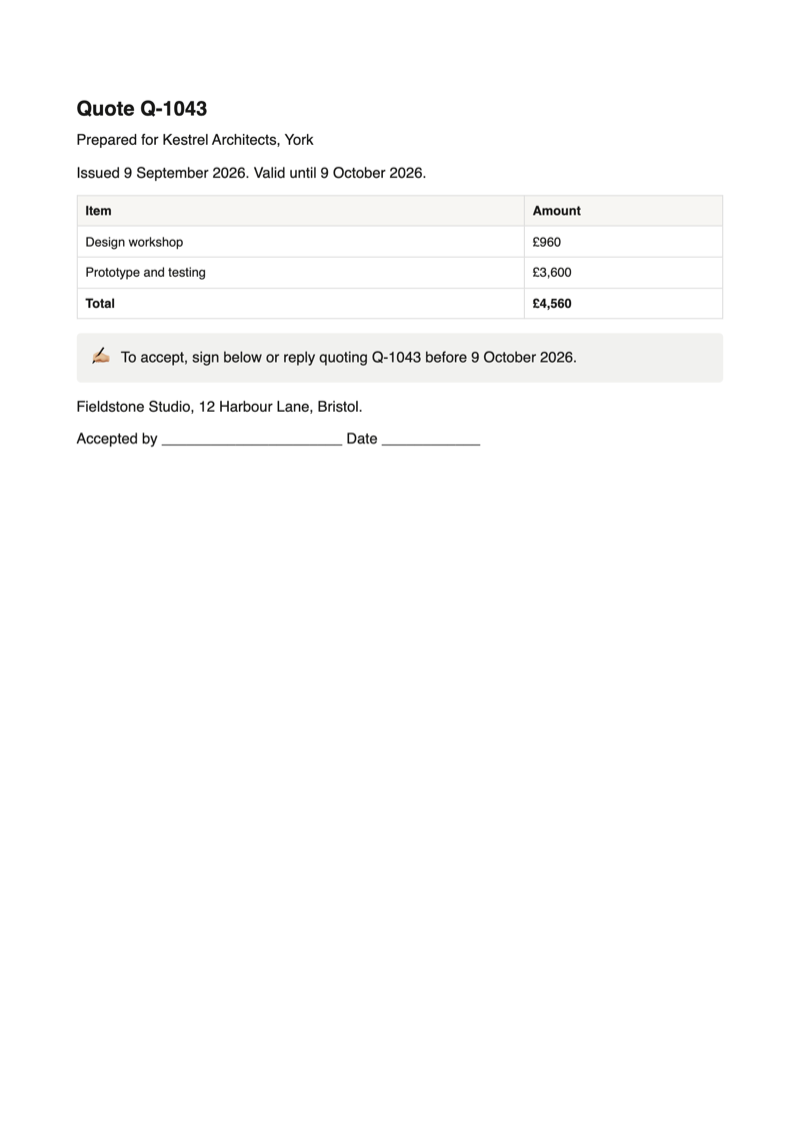
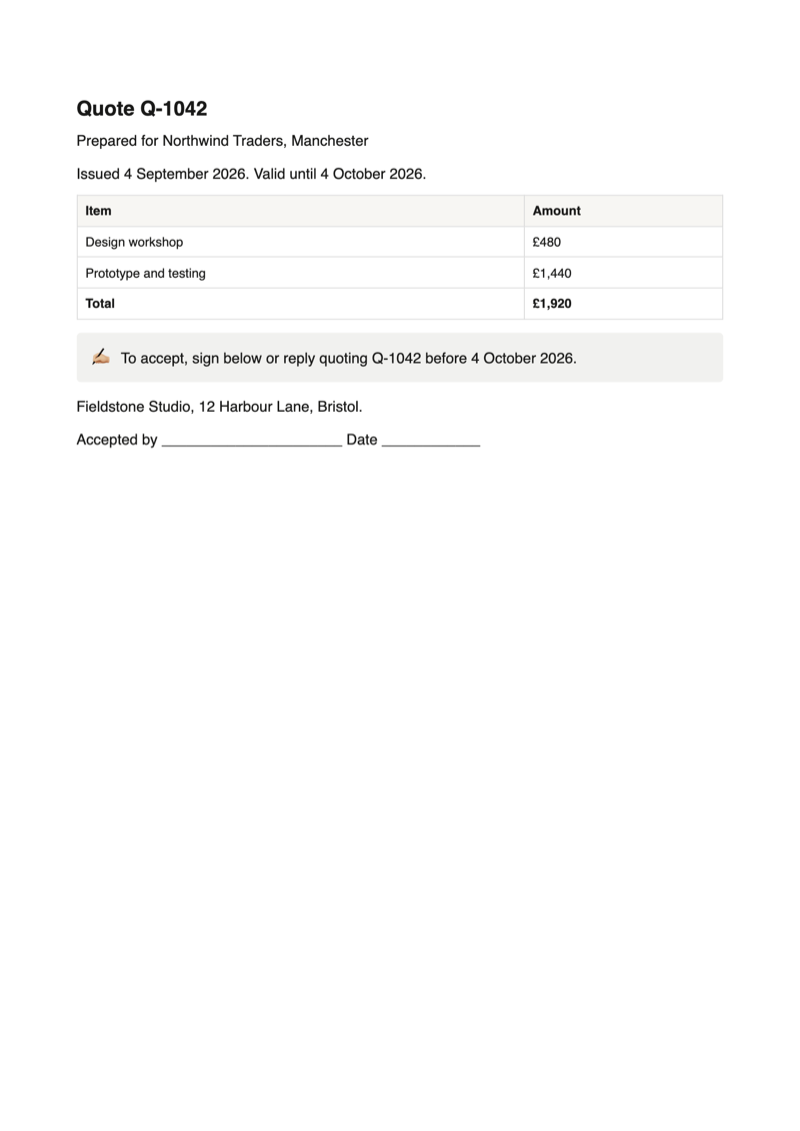
The Notion quote template
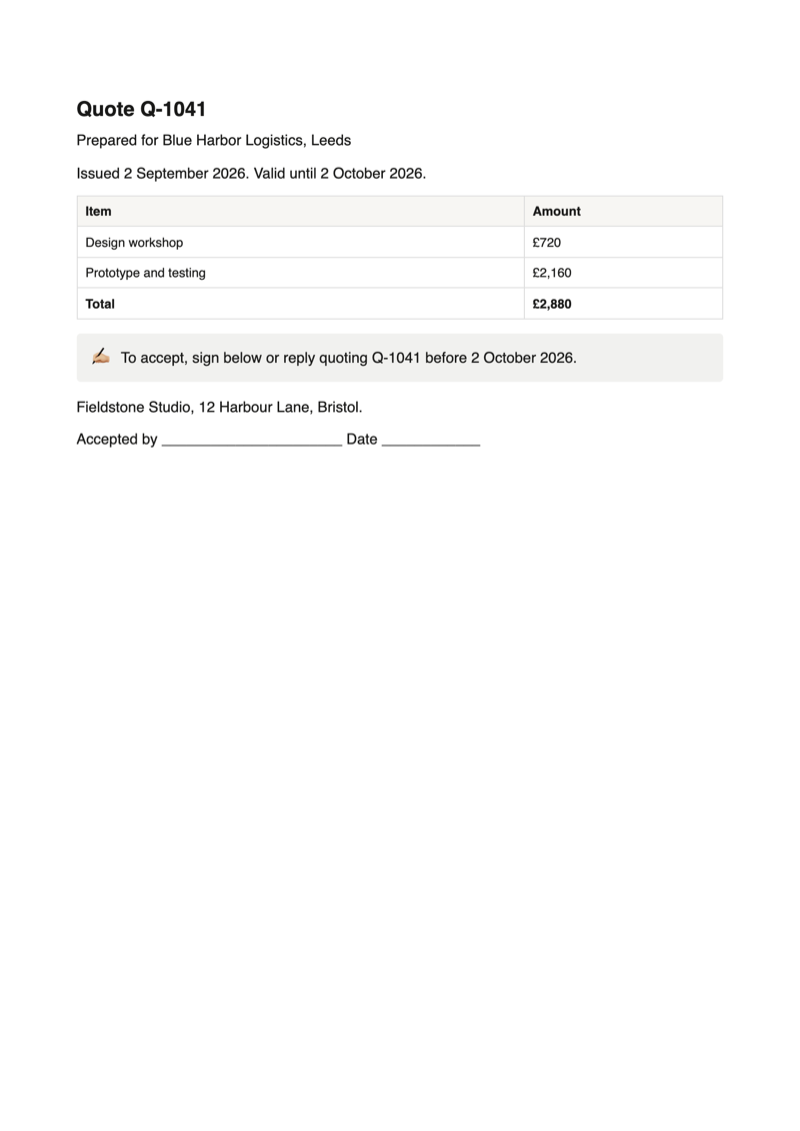
The same page for quotes and estimates, with the date a quote is valid until, a note on how to accept and an Accepted by line to sign.
Available in the Notion MarketplaceAdapt it
Make it fit your work
Delivery notes
Without prices and with quantities, the same layout is the Notion delivery note template.
Letter or A4
The paper is set in the export panel, not in the page: A4, Letter, Legal, A3, A5 or Tabloid, with your margins.
Your logo and footer
Header text, footer text and sheet numbers are free. Your logo in the header or footer of every invoice is part of Pro.
FAQ
Notion invoice template: common questions
Is the Notion invoice template free?
Yes. Duplicating and editing it is free, and so is previewing the first five filled-in invoices. Printing the filled-in invoices with the extension is part of Pro, at $6.99 a month or $59 a year.
Does the template calculate the total?
No. Formula columns do not print their value yet, so Total is a column you type in. The same goes for dates, which is why Issued is a text column.
Can I add more line items?
Yes. Add a column, for example Hosting, and a row to the table in the invoice with {Hosting}. Text, number and select columns can be used as placeholders.
Do I get a separate PDF for each invoice?
Not yet. A run produces one PDF, with each invoice starting on its own sheet.
Can I print just one invoice?
Yes. Tick that client's row in the database, then click PDF. The document generator, part of Pro, prints only the ticked rows, so one row gives one invoice. With nothing ticked, every row is printed.
Can I print the invoice without the extension?
Notion's own export prints the page as it is, with the database and the placeholders in braces. Filling in each row's values is what the extension adds.
Is my client data uploaded?
No. The extension reads the page in your open Notion tab and builds the invoices in your browser. It never changes your pages.
Print your first invoices from Notion
Duplicate the template, add the extension, and click PDF next to Share.
 Add to Chrome