Print a Notion database to PDF
A database as a table, or a sheet per row.
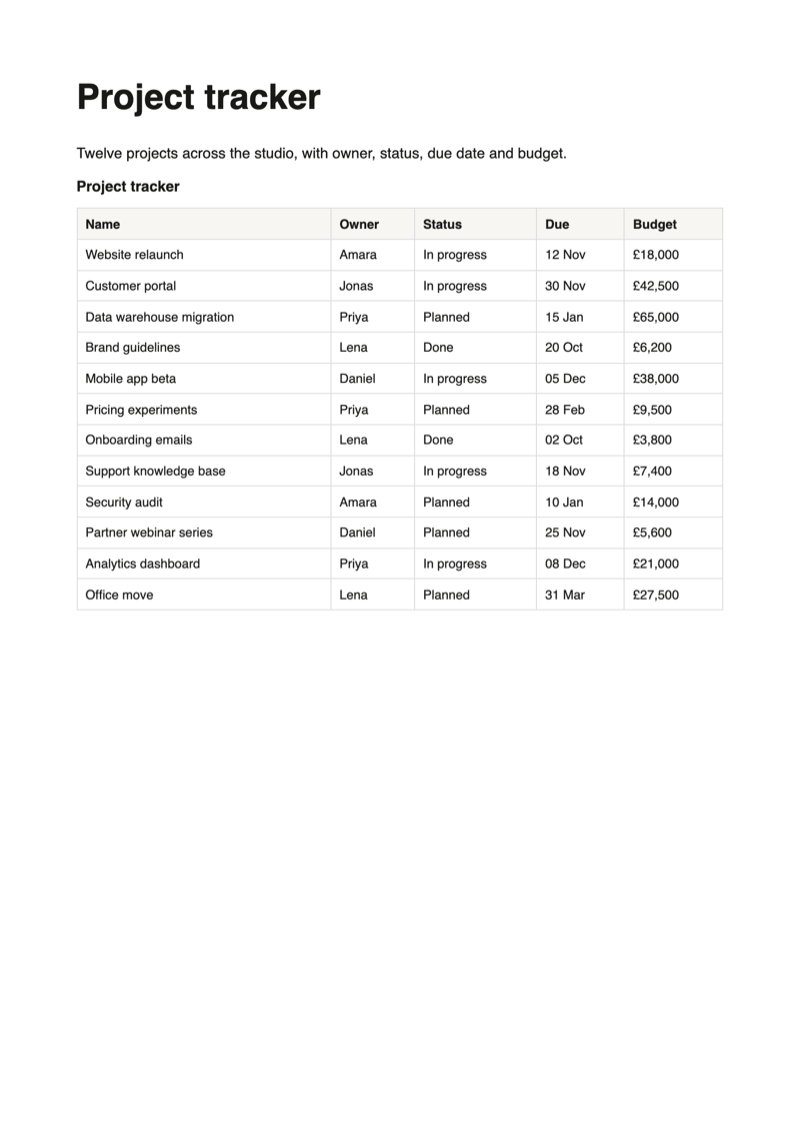
The table prints with its header row on every sheet and rows that never split. For one document per row, switch to the document generator.
The table is free, for single pages and without a watermark.
The problem
Why a Notion database is hard to print
A database is built for a screen. On paper it has to fit a sheet, keep its column names in sight and break between rows, and sometimes it should not be a table at all.
Wider than the sheet
A table with six or seven columns is wider than a portrait sheet, so the last columns run off the edge or shrink until they are hard to read.
Column names only on page one
On a long table the second sheet starts with a row of values and no hint which column is which.
A table, when you need a sheet per row
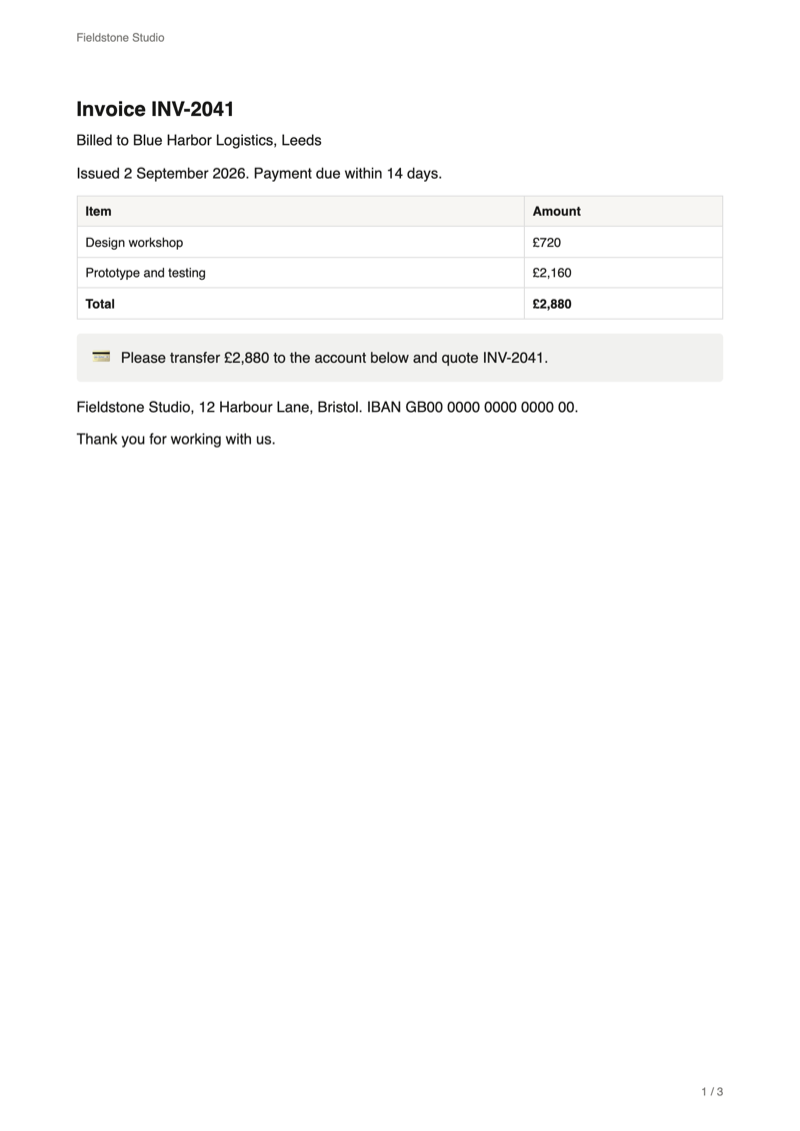
An invoice, a certificate or a name badge for every row is not a table. It is one document per row, with the values in the right places.
Two ways
Print a Notion database as a table or as documents
Both start from the PDF button next to Share. The first line of the export panel decides which one you get.
| A table | One document per row | |
|---|---|---|
| Mode in the panel | This page | Notion document generator |
| What you get | The database as one table, over as many sheets as it needs | One document for each row, each on its own sheet or running on |
| Where the values go | Into the cells of the table | Into a template page, where you write {Column name} |
| Rows | The rows of the database view | All rows, or only the ones you tick |
| Plan | Free | Pro, with a preview of the first 5 documents on the free plan |
For invoices, certificates and other documents, read the Notion mail merge guide or start from the free Notion invoice template.
Guide
How to print a Notion database as a table
Three steps in your open Notion tab. Your database is only read, never changed.
Set up the view, then open the PDF panel
The PDF follows the first view of the database, the tab at the left above the table. Hide the columns you do not need, sort the rows and filter them the way they should print.
Then click PDF in the Notion top bar, next to Share.

Check the table in the preview
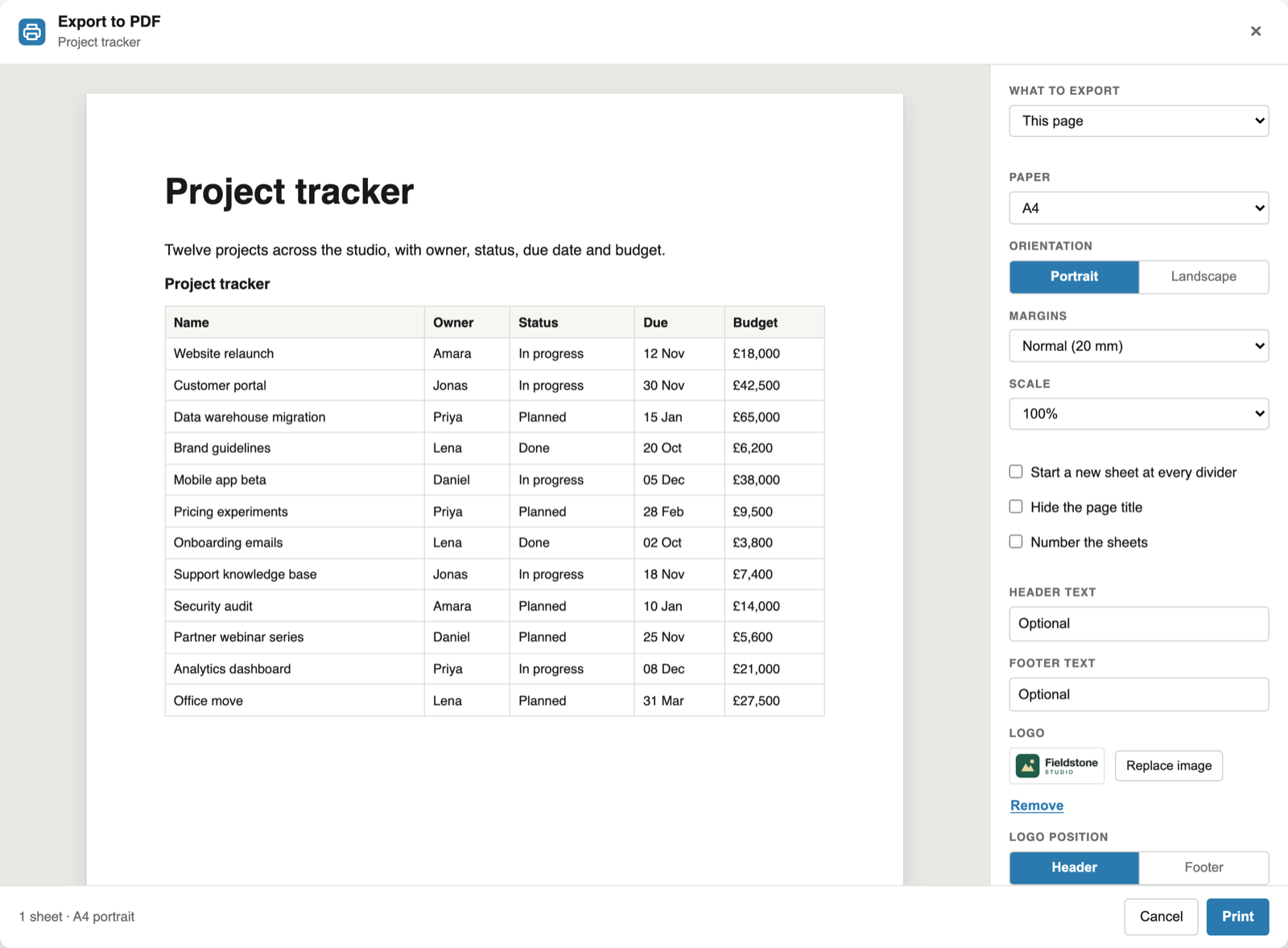
The preview draws the table on a real sheet, with the column names in the top row. Below, five columns of a project tracker fit an A4 sheet with room to spare.
For a wide database, choose Landscape under Orientation or lower the scale. The preview redraws at once.
Print or save as PDF
Click Print and choose "Save as PDF" as the destination. The text in the file stays searchable and selectable, and a long table keeps its column names at the top of every sheet.
Reference
What the table contains
The extension reads the database as Notion stores it and prints what the view shows.
| Part | What is printed |
|---|---|
| Columns | The columns the first view shows, in its order. A column hidden in the view is left out. |
| Rows | The rows of that view with its filter and sort applied, up to 999. |
| Name | The name of the database, above the table. |
| Header row | Printed once at the top and repeated on every sheet the table runs onto. |
| Rows across sheets | A row is kept whole when it fits on a sheet. |
| Values | Text, selects and links print as they are. A date prints as 2026-11-12, with the time when it has one, and a person as @Name. |
| Several databases | Every database on the page prints, one after the other. |
FAQ
Printing a Notion database: common questions
How do I print a Notion database to PDF?
Open the page that holds the database, click PDF next to Share and choose This page. The database prints as a table, with its header row repeated on every sheet it runs onto. Choose "Save as PDF" in the print dialog.
Which columns and rows are printed?
The ones in the database's first view: the columns it shows, in its order, and the rows that pass its filter and sort. Hide a column or add a filter in Notion, and the PDF follows.
How do I fit a wide database on the sheet?
Switch to landscape, lower the scale or choose smaller margins. The preview redraws with every change, so you see how many sheets the table needs.
Can I print one sheet per database row instead?
Yes, with the document generator, a Pro feature. Write the document once, put {Column name} where a value belongs, and every row gets its own copy. See the Notion mail merge guide.
Does it print a linked view or a database that is a page of its own?
Yes, from version 1.0.0. A database that is a page of its own prints as a table titled with its name. A linked view prints the rows of its source database, like a database that sits on the page.
Can I print only some rows?
As a table, filter the database in Notion first and the PDF follows. With the document generator, tick the rows in the database before you open the panel and only those are printed.
Is it free?
Yes, the table is free for single pages, without a limit and without a watermark. Pro, at $6.99 a month or $59 a year, adds subpages, the document generator and your logo.
Print your next Notion database
Add the extension, open the page and click PDF next to Share.
Add to Chrome