Notion name badge template
Name badges for the whole guest list, ready to cut.
Keep your attendees in a Notion database and print a badge for each of them, several to a sheet with a cut line in between.
The template is free, and so is the preview of the first five badges. Printing the filled-in badges is part of Pro, from $4.92 a month.
Available in the Notion Marketplace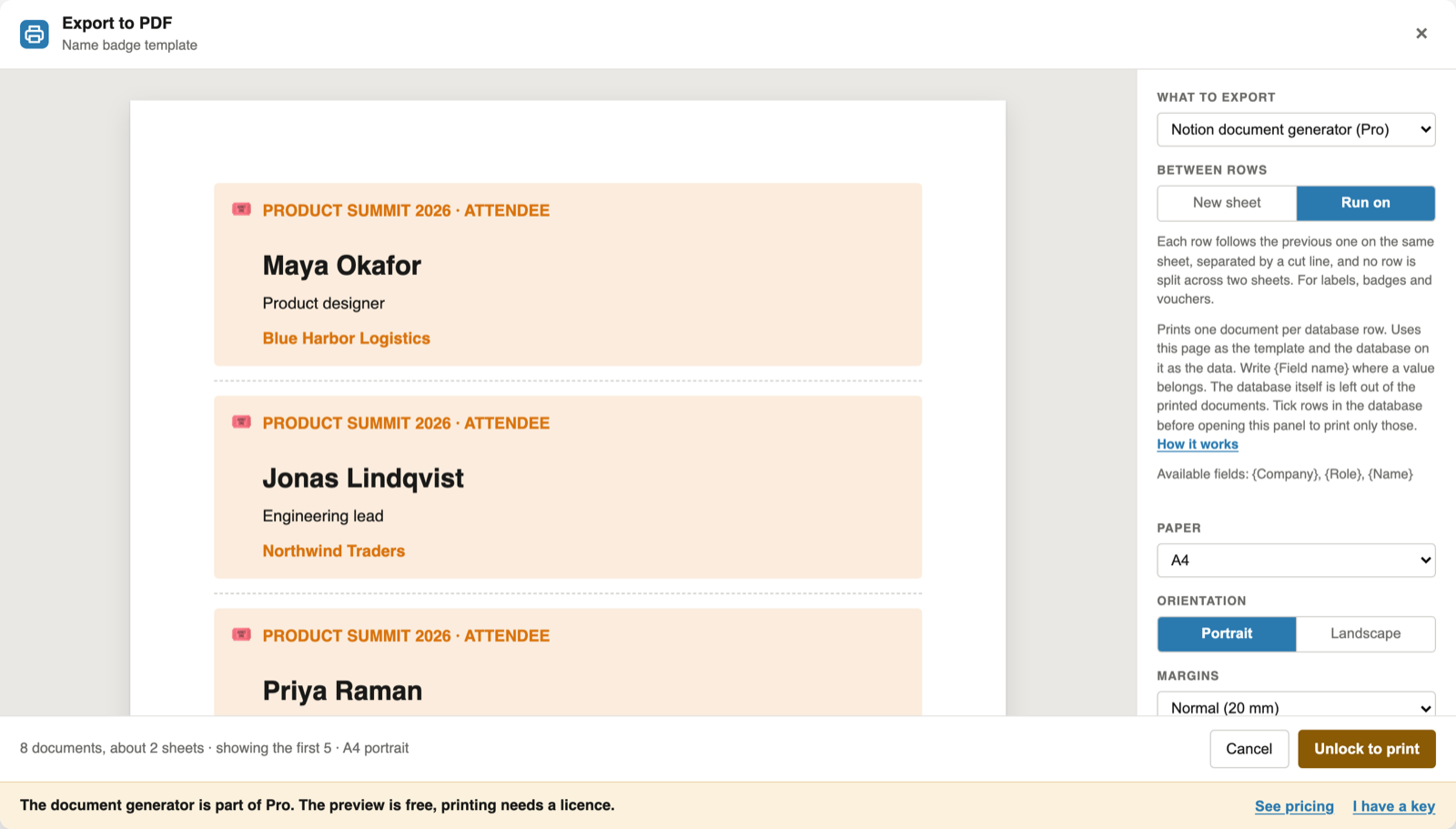
The Notion name badge template in short
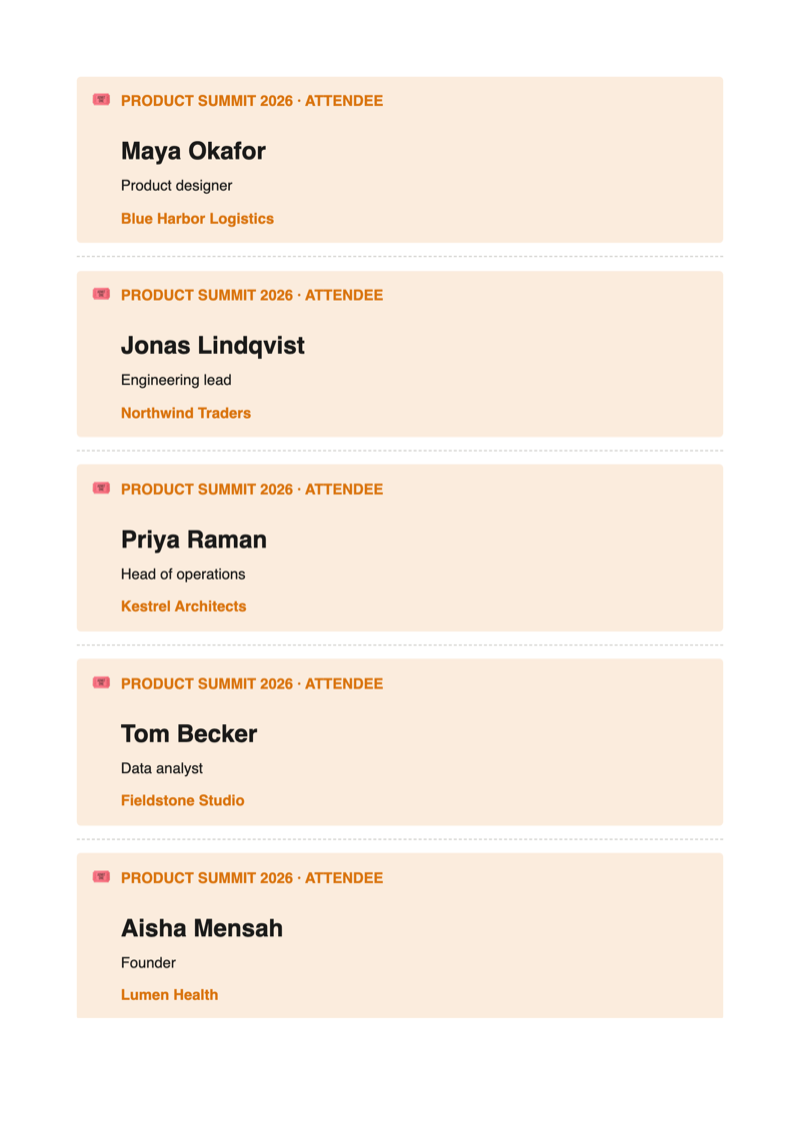
The name badge template is a Notion page with a database of attendees. Notion PDF Export prints the badges one below the other in one column, several to a sheet with a dashed cut line between them; the sample badge fits five to an A4 sheet. Label sheets with a fixed grid of several columns are not supported. Duplicating and editing the template is free, and so is the preview of the first five badges; printing them is part of Pro.
The template
What is in the Notion name badge template
Everything on one Notion page: your list of attendees on top, the badge below, written once with blanks such as {Name} that every row fills in.
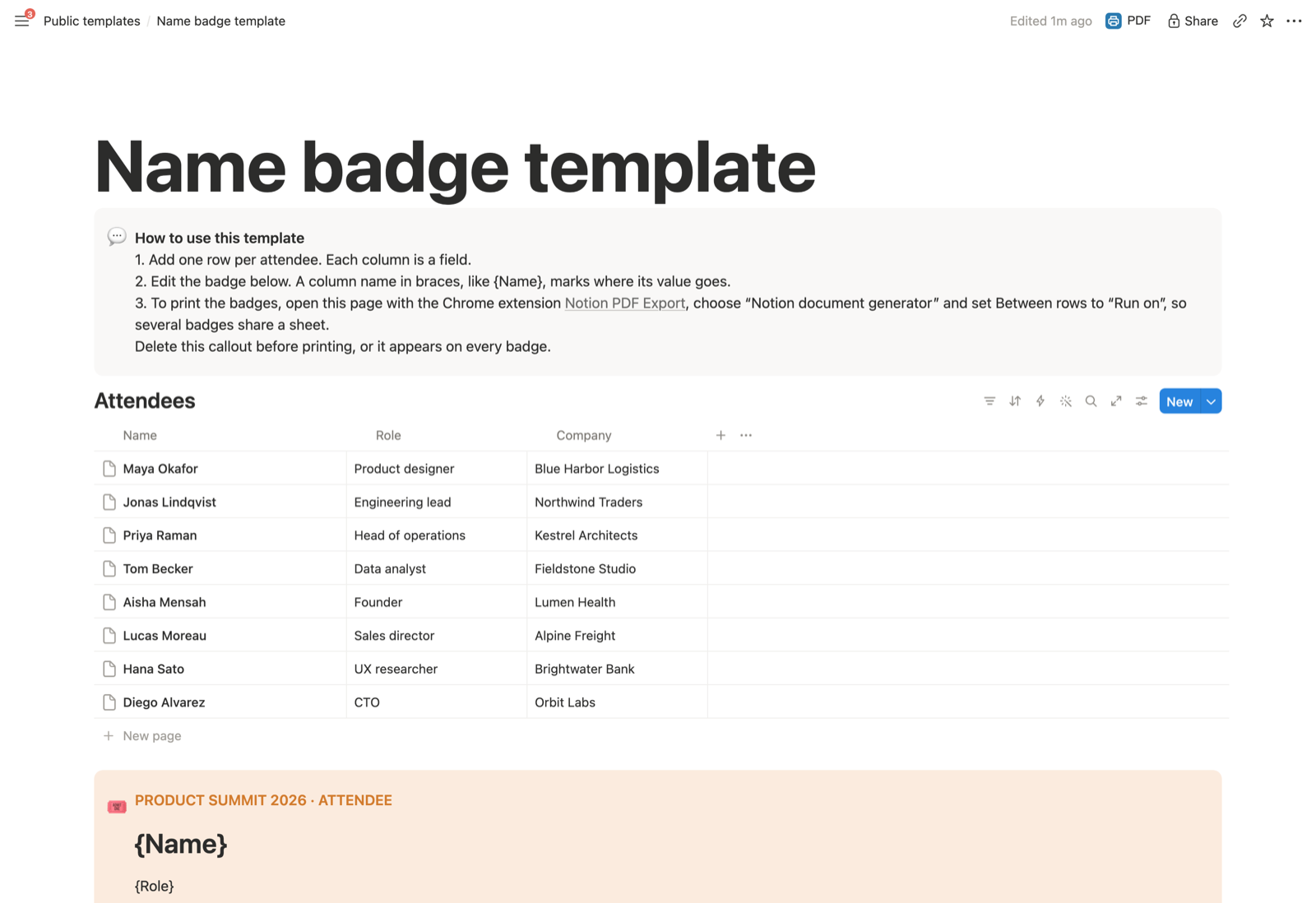
| Column | Placeholder | Example |
|---|---|---|
| Name | {Name} | Maya Okafor |
| Role | {Role} | Product designer |
| Company | {Company} | Blue Harbor Logistics |
All three are text columns. A new text or number column, such as Table or Ticket, becomes available as a placeholder too.
Guide
How to print name badges from Notion
Duplicate it into your workspace
Open the Notion name badge template and click Duplicate at the top right, or get it from its listing in the Notion Marketplace. The copy is yours, on any Notion plan.
Make it your badge
Replace the sample attendees with your guest list, and "Product Summit 2026" with your event. Delete the "How to use this template" callout, or it prints on every badge.
Print the badges, several to a sheet
With the extension installed, click PDF next to Share, choose "Notion document generator" and set Between rows to "Run on". Each badge follows the previous one on the same sheet, separated by a cut line, and no badge is split across two sheets.
To print only some attendees, tick their rows in the database before you click PDF.
Click Print and choose "Save as PDF": one PDF with every badge. The Notion mail merge guide explains the placeholder rules in detail.
Adapt it
Make it fit your work
Labels and place cards
Rename the columns to Name, Street and City, or Name and Table, and the same page prints address labels or place cards.
Bigger or smaller
The badge is as tall as its content. Fewer lines fit more badges on a sheet; Scale in the export panel makes them larger or smaller.
Your logo
Header text, footer text and sheet numbers are free. Your logo in the header or footer of every sheet is part of Pro.
FAQ
Notion name badge template: common questions
Is the Notion name badge template free?
Yes. Duplicating and editing it is free, and so is previewing the first five filled-in badges. Printing the filled-in badges with the extension is part of Pro, at $6.99 a month or $59 a year.
How many badges fit on a sheet?
As many as fit one below the other. The sample badge fits five to an A4 sheet; a shorter badge fits more. The preview shows the sheets before you print.
Can I print onto label sheets with a fixed grid?
No. Run on prints the badges one below the other in a single column, with a cut line between them. Label sheets with fixed positions in several columns are not supported.
Which paper works for badges?
Any paper your printer takes. Set A4 or Letter in the export panel, print on card stock for sturdier badges, and cut along the dashed lines between them.
Is my attendee data uploaded?
No. The extension reads the page in your open Notion tab and builds the badges in your browser. It never changes your pages.
Print your first name badges from Notion
Duplicate the template, add the extension, and click PDF next to Share.
 Add to Chrome